

Step 1: Choose a route
Browse the available routes on TopVisit.eu and select the one that interests you.
Step 2: Register or log in
Before you can use a coupon, you need to have a user account:
- If you already have an account: Click on “Log in” and enter your credentials
- If you don’t have an account: Click on “Register” and fill in the required information (email, password, name)
Step 3: Enter your coupon code
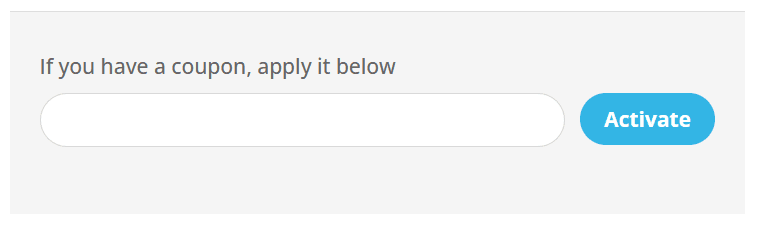
Once you’re logged in, on the payment page you’ll find the section “If you have a coupon, apply it below”. Enter your coupon code in the white field.
Step 4: Activate the coupon
Click the blue “Activate” button to the right of the input field. The discount will be automatically applied to the total price.
Step 5: Enter payment details
In the “Payment method” section, enter your card details:
- Name on card
- Card number
- Expiration date and security code
Step 6: Check the total price
In the “Total” section, you can see the final price after the coupon has been applied.
Step 7: Complete your purchase
Click the orange “START” button to complete the payment and get instant access to your chosen route.
NOTE:
- Each coupon can only be used once.
- Once you activate the coupon, the discount is automatically deducted from the price.
- Registration is required so you can track your purchased routes and access your user account.
